PDF
PDF and documents
Price lists, catalogues or commercial documents containing information that first needs to be interpreted.

PDF, Excel, XLSX, CSV, images, references, barcodes and different structures. MerchantFace interprets manufacturer information and turns it into usable product data for creating, updating or comparing your catalogue.
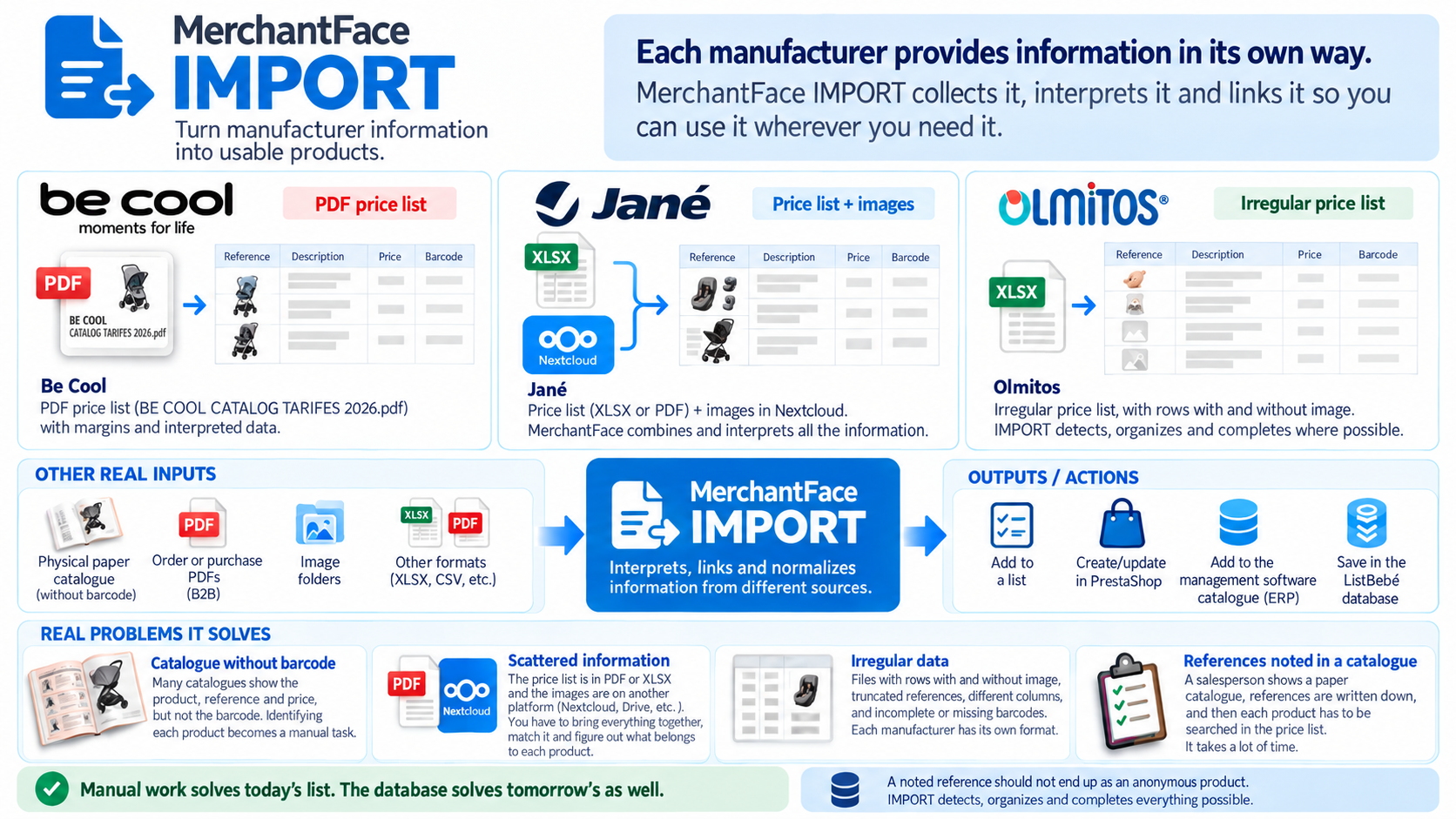
One price list may contain prices. Another file may contain barcodes. Images can be stored elsewhere. References change format and every manufacturer organises its columns differently.
Price lists, catalogues or commercial documents containing information that first needs to be interpreted.
Different columns, multiple sheets, references, barcodes, prices and dispersed product data.
Files with different separators and structures depending on the manufacturer or distributor.
Folders, links or repositories that need to be matched to each product.
The same reference does not always identify the correct product on its own.
When available, they help connect the manufacturer, the product and the existing catalogue.
Upload or add the manufacturer price list, catalogue or document.
MerchantFace identifies columns, references, barcodes, prices and other data.
Compare the information with existing products when enough data is available.
Check matches, differences and products that require attention.
Create, update, export or prepare the data for other systems.
The aim is not to copy Excel rows. It is to identify the product represented by each line, relate it to the available information and leave the data ready to be reused.
Identify. Match. Normalise. Complete.
Use interpreted manufacturer information as the basis for new product records.
Compare prices, references, barcodes, images and other data with your current catalogue.
Find matches, differences and products that have not yet been linked.
Prepare reviewed information for PrestaShop, your management software or other workflows.
This example shows how MerchantFace IMPORT interprets a real manufacturer source, structures its data and prepares it to create, update or compare products.
MerchantFace turns manufacturer information into reusable product data for creating, updating or comparing your catalogue.
Interpreted data can be compared with your PrestaShop catalogue or with the product catalogue in your management software.
Interprets price lists, catalogues and product information.
Reviews and improves your online store catalogue.
Discover POST →Reviews and enriches the catalogue coming from your management software.
Discover PRE →It can work with manufacturer information in formats such as Excel, XLSX, CSV or PDF, as well as catalogues and associated images when available.
No. Interpreted information can be used to create new products, compare existing products or prepare updates to product data and prices.
No. MerchantFace IMPORT is designed to work with different formats, columns, references, images and structures depending on each manufacturer.
MerchantFace can prepare and match the information, while the workflow can remain under review and confirmation before changes are applied to the catalogue.
Tell us what format you receive and what you need to do with those products.
Tell us your case