EAN
Barcodes
Products without barcodes, suspicious codes or data that needs review.
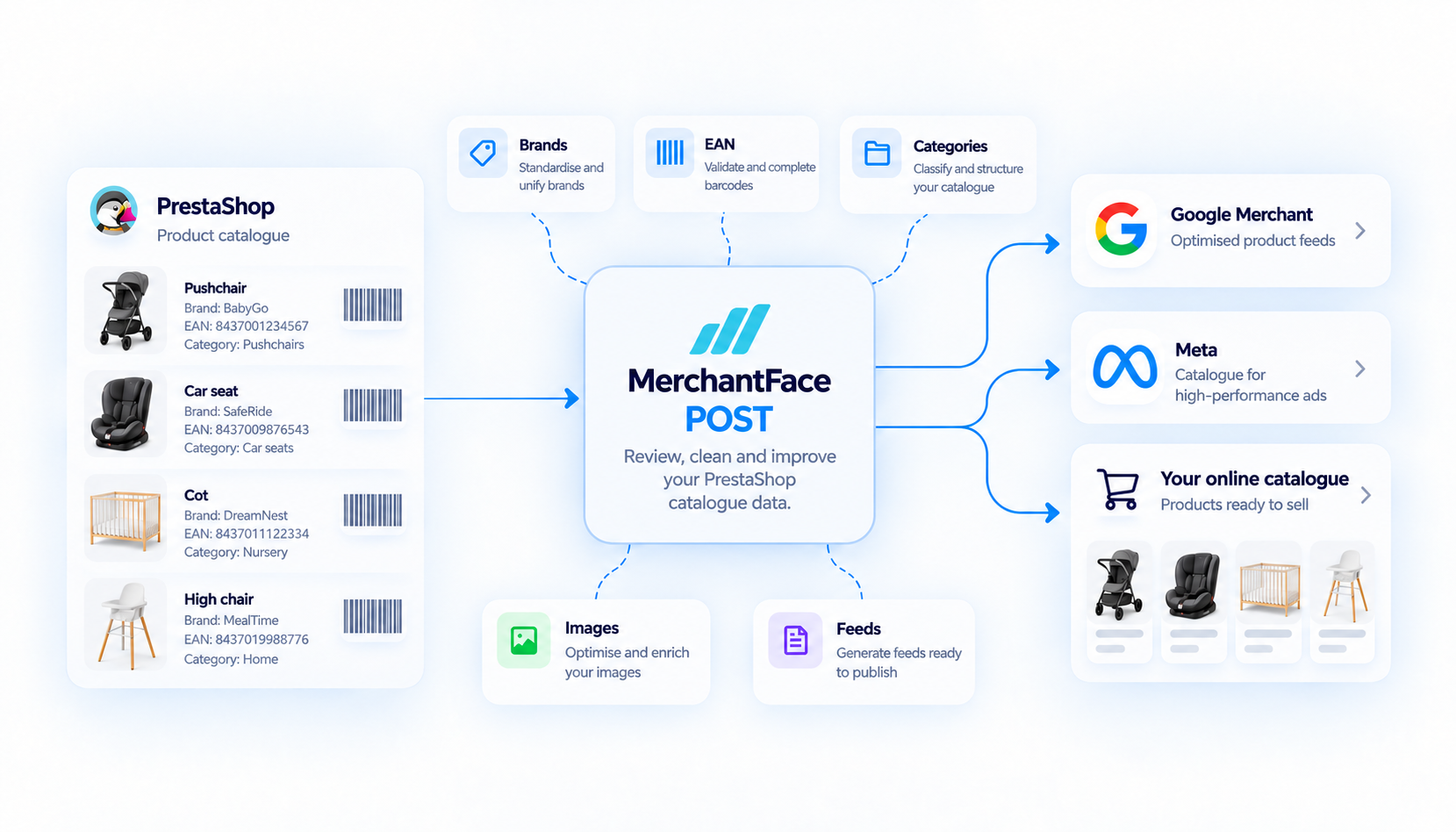
Review brands, barcodes, categories, images and other product data. Detect errors, complete missing information and prepare a more reliable nursery retail catalogue for Google Merchant, Meta and other channels.
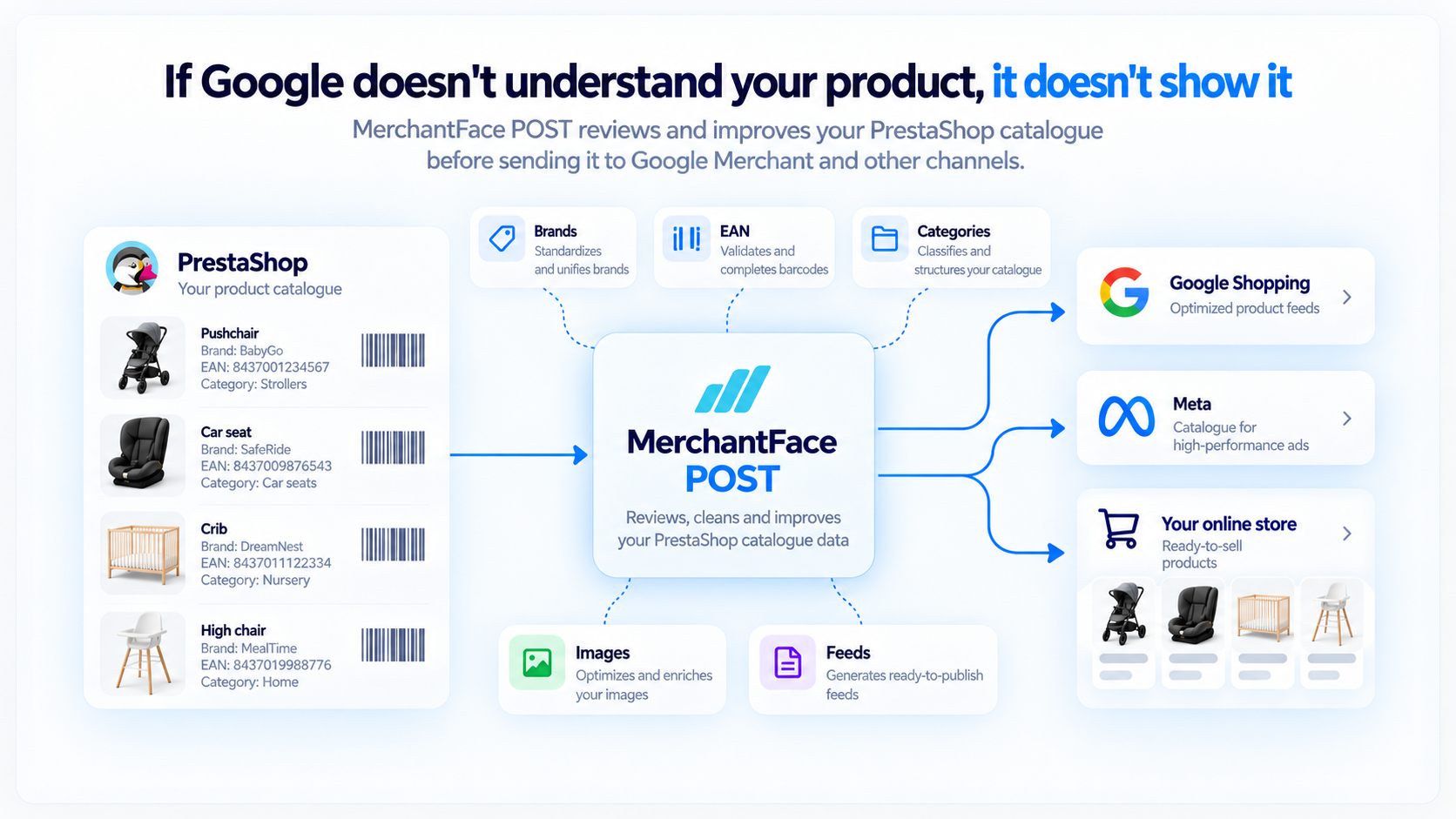
Having products in PrestaShop does not necessarily mean their data is ready to perform properly across all your sales channels.
Products without barcodes, suspicious codes or data that needs review.
Missing, incorrect or inconsistent brands for the same manufacturer.
Structures that are too vague or insufficient to classify products correctly.
Products without images or with incomplete information for sales channels.
Detects missing, incorrect or inconsistent brands and helps normalise them.
Finds products without barcodes or with suspicious barcode data.
Reviews the PrestaShop structure and helps map it to Google Merchant.
Detects products without images or with incomplete visual information.
Compares your catalogue with available manufacturer data to find matches and differences.
Prepares cleaner, more structured information for Google Merchant and Meta.
MerchantFace works with the data you already have and helps identify what needs review.
Detects. Compares. Suggests.
You decide which changes to apply.
MerchantFace POST is the gateway to the MerchantFace ecosystem.
The system accesses the catalogue data it needs.
Organises brands, barcodes, categories, images and other data.
Work only on the products that need attention.
Use the reviewed catalogue in PrestaShop, Google Merchant and Meta.
MerchantFace POST lets you review a real PrestaShop catalogue, identify products that need attention and work on brands, barcodes, categories, images and other data.
MerchantFace includes bulk product changes to speed up repetitive work, using criteria shaped by our sector experience: by brand, EAN family and other types of issue. Inside the PrestaShop module, you will also find training videos showing these functions step by step.
MerchantFace POST is designed to reduce manual work and detect catalogue problems before they affect your sales channels.

Copying the name, brand, reference, barcode, price, category and images product by product takes time and increases the risk of errors.
MerchantFace POST helps review and prepare that data before you publish it.
Without a reliable barcode, correctly identifying a product and linking it to other sources stops being automatic.
MerchantFace POST finds products without barcodes, suspicious barcode data or information that needs review.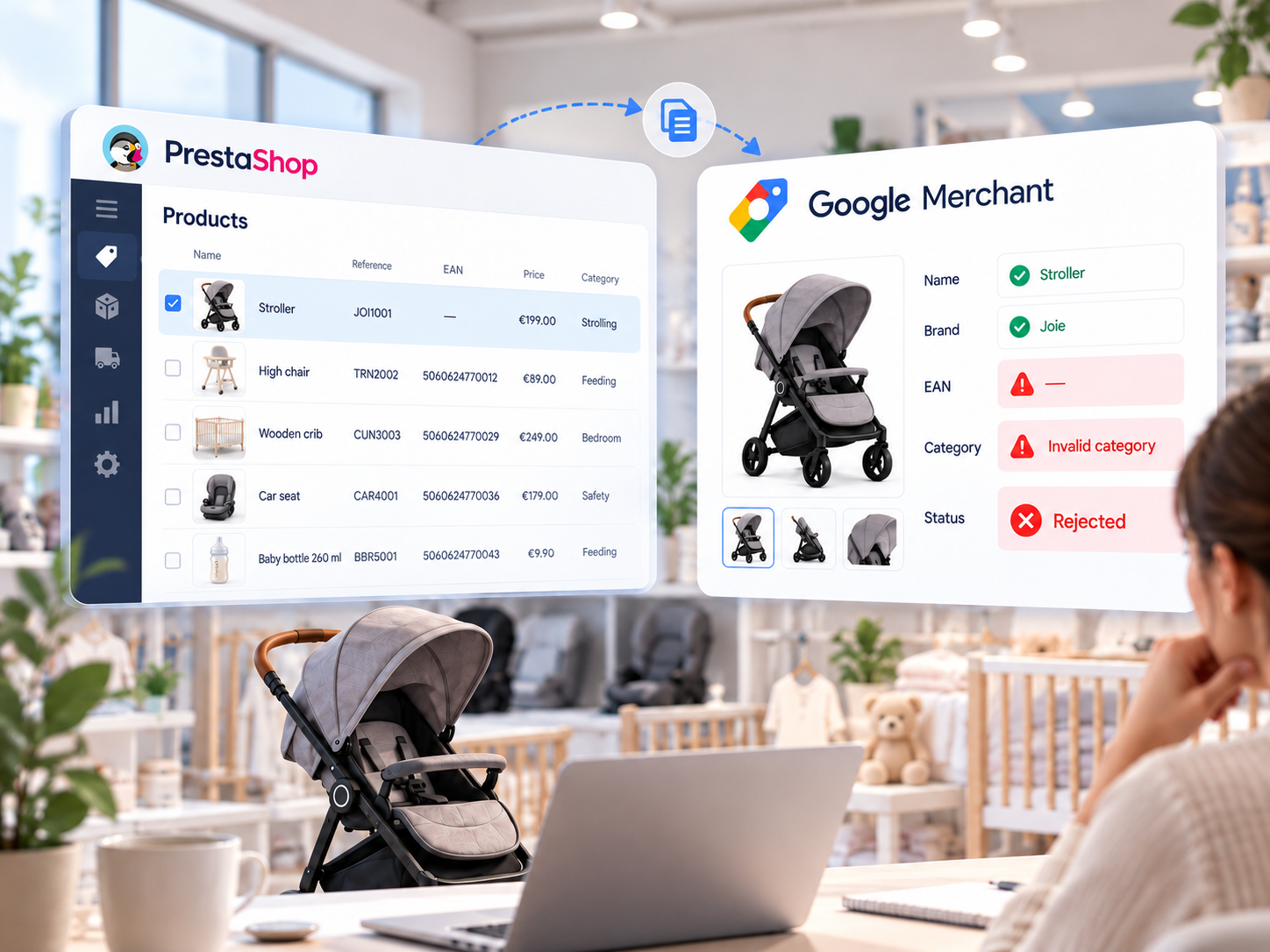
It can be published and still have an incorrect brand, a missing barcode, an unsuitable category or insufficient images.
MerchantFace POST reviews that data before preparing the catalogue for Google Merchant and other channels.When you need to work beyond the PrestaShop catalogue, you can expand MerchantFace with other modules.
Review and improve your current PrestaShop catalogue.
Work with information from your ERP and return a reviewed catalogue.
Discover PRE-ERP →Turn manufacturer price lists into usable information to create or update products.
Discover IMPORT →It reviews catalogue data such as brands, barcodes, categories, images and other fields that may be incomplete, inconsistent or require validation.
Not necessarily. MerchantFace includes bulk product changes using criteria such as brand, EAN family and other types of issue, while keeping control over the selected products.
Yes. It helps prepare clearer and more consistent product data before using it for Google Merchant, Meta and other sales channels.
No. POST works with your existing PrestaShop catalogue to detect issues, complete information and improve product data quality.
Install MerchantFace POST, connect your store and see how it works with your own products.
Start 14-day trial