Link products
Find which manufacturer items are already in your catalogue and which ones are still not connected.
MerchantFace compares your online catalogue with manufacturer data to find matches, detect differences and prepare catalogue improvements.
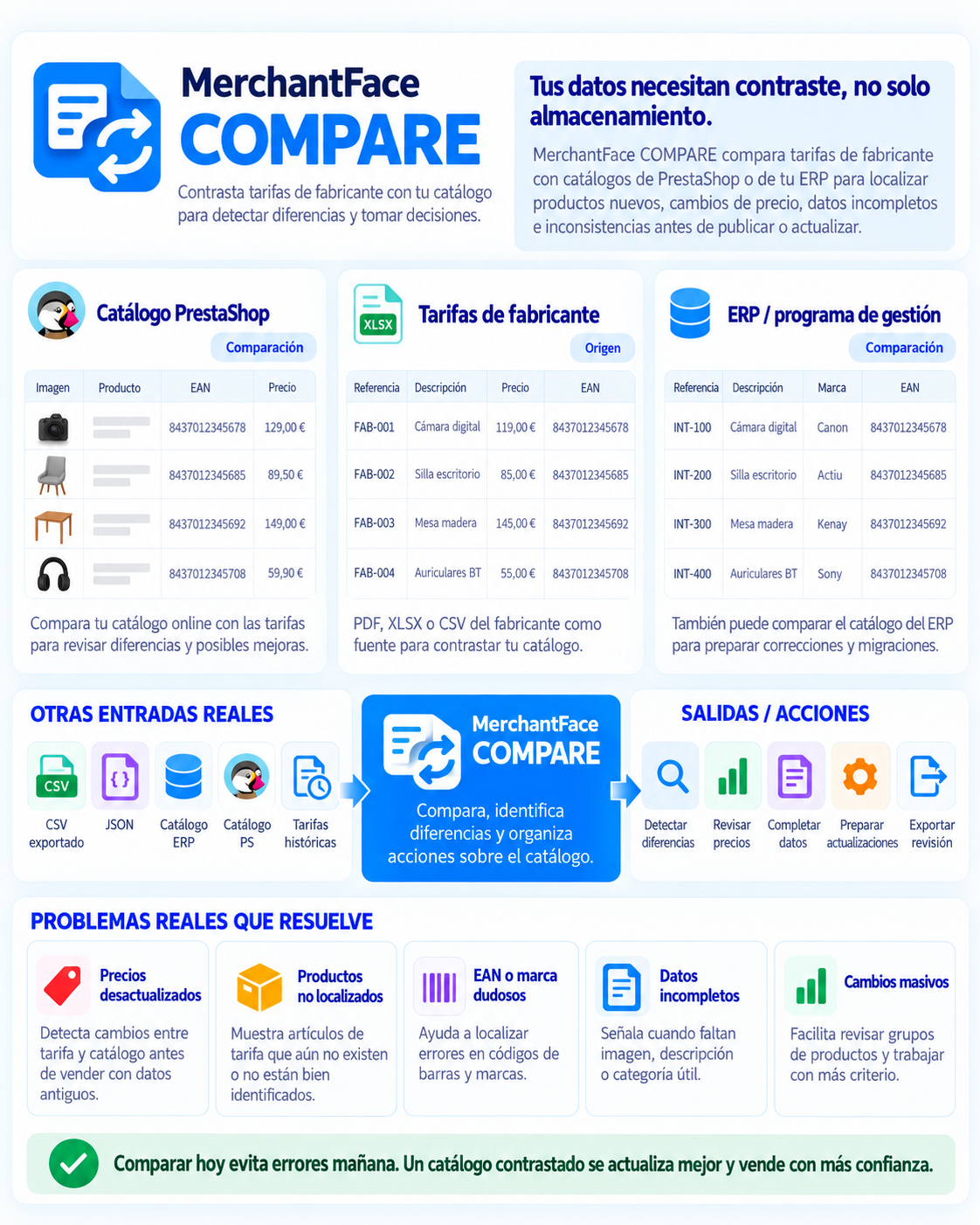
The comparison helps you review published products and detect opportunities before updating or creating new product sheets.
Find which manufacturer items are already in your catalogue and which ones are still not connected.
Review EANs, references, brands, categories, prices or images when they do not match or when data is missing.
Use the comparison to enrich the catalogue before updating PrestaShop or continuing in other modules.
MerchantFace interprets the manufacturer information and prepares it for use.
It uses your PrestaShop products as the base to cross-check them with imported information.
It detects related products, possible errors and incomplete or inconsistent data.
You decide what to review, complete or update before applying catalogue changes.
The goal is not to compare tables just for the sake of it. The goal is to help identify the right product and review the real state of the catalogue.
Identify. Compare. Flag. Prepare.
Focus your work on products showing differences or suspicious data.
Use manufacturer information to complete EANs, brands, images or categories.
Quickly identify which products from the price list are not yet in the shop.
Leave the pre-work ready so catalogue updates are safer and require less manual effort.
In this video you can see how MerchantFace cross-checks a manufacturer price list against a PrestaShop catalogue to prepare corrections and improvements.
The comparison tool is designed to review, understand and prepare actions before modifying products in PrestaShop.
The same identification and normalisation core makes it possible to compare manufacturer data, review the online catalogue and work with ERP data too.
Interprets manufacturer price lists, catalogues and images.
Discover IMPORT →Reviews and improves your online shop catalogue.
Discover POST →Organises and enriches the catalogue coming from your management software.
Discover PRE →It can compare your PrestaShop catalogue with information coming from manufacturer price lists to find matches, differences and products that are not yet related.
No. It can also review EANs, references, brands, categories, images and other product data.
Not necessarily. It can be used as a previous review stage to prepare corrections and decide what changes should be applied afterwards.
Yes. The same comparison logic can also be used in the PRE workflow to compare manufacturer price lists with your management software catalogue.
Tell us what kind of manufacturer price list you work with and what kind of catalogue comparison you need.
Tell us your case